
What about Metro JS Projects and jQuery?
What about Metro JS Projects and jQuery?
 I spent this week at Build and was interested in both the XAML and HTML/JS part of the Metro story. I am in the middle of converting GooNews into both HTML and XAML Metro apps to test out the new APIs.
I have to admit, I was nervous at first because this in the keynote:
(From the keynote)
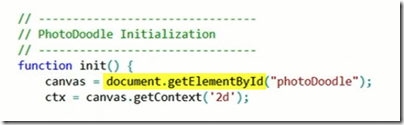
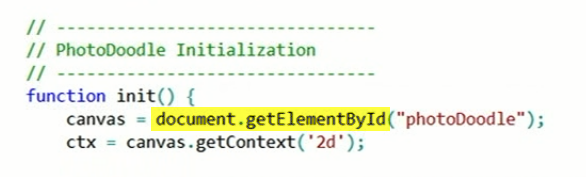
Do people still write document.getElementById? My nervousness was about that this isn’t how most web developers write code these days. But I was reassured that you could use JavaScript any way you want. Let’s look at this briefly.
Hello World
I started with the Hello World example in the new docs on MSDN. So I fired up a new JavaScript Empty project. It instructed me to add a couple of HTML controls like this:
<!DOCTYPE html>
<html>
<head>
  <meta charset="utf-8" />
  <title>FirstJS</title>
  <!-- WinJS references -->
  <link rel="stylesheet" href="/winjs/css/ui-dark.css" />
  <script src="/winjs/js/base.js"></script>
  <script src="/winjs/js/wwaapp.js"></script>
  <!-- FirstJS references -->
  <link rel="stylesheet" href="/css/default.css" />
  <script src="/js/default.js"></script>
</head>
<body>
  <button onclick="click">
    Click me!</button>
  <p id="myText" />
</body>
</html>
This looks pretty good, but I don’t like the ‘onclick’ in the HTML markup. But it’s plain-old-HTML/JS so I won’t scream. Unsurprisingly, the JavaScript is pretty clean too:
(function () {
  'use strict';
  // Uncomment the following line to enable first chance exceptions.
  // Debug.enableFirstChanceException(true);

  WinJS.Application.onmainwindowactivated = function (e) {
    if (e.detail.kind ===
      Windows.ApplicationModel.Activation.ActivationKind.launch) {
      document.addEventListener("click", function () {
        myText.innerText = "Hello Windows Metro style";
      });
    }
  }

  WinJS.Application.start();
})();
While this JavaScript works fine, it feels weird. Using addEventListener instead of jQuery feels wrong. Sure, I wrote this kind of code a long time ago, I don’t do that anymore.
**Modern Hello World **
I wanted to take this simple version but use the modern web development skills and apply them here. First thing I wanted was to add jQuery. I’ve tried to buy into using content delivery networks so in my web code, I do this commonly:
<script type="text/javascript"
        src="http://ajax.googleapis.com/ajax/libs/jquery/1.6.2/jquery.min.js">
</script>
This doesn’t work? The context delivery network URI to load the script doesn’t work because the security model for WinRT doesn’t allow me to remote scripts. So, I copy the script into the project and change this like so:
<script type="text/javascript"
        src="/js/jquery-1.6.4.min.js" ></script>
To make me really happy, I also want to remove that onClick event from the markup since I am used to doing that with jQuery. Here’s the new markup:
<!DOCTYPE html>
<html>
<head>
  <meta charset="utf-8" />
  <title>FirstJS</title>
  <!-- WinJS references -->
  <link rel="stylesheet" href="/winjs/css/ui-dark.css" />
  <script src="/winjs/js/base.js"></script>
  <script src="/winjs/js/wwaapp.js"></script>
  <!-- FirstJS references -->
  <link rel="stylesheet" href="/css/default.css" />
  <script src="/js/jquery-1.6.4.min.js"></script>
  <script src="/js/default.js"></script>
</head>
<body>
  <button>
    Click me!</button>
  <p id="myText" />
</body>
</html>
More importantly, the JavaScript file will use jQuery to accomplish the same thing:
(function () {
  'use strict';
  // Uncomment the following line to enable first chance exceptions.
  // Debug.enableFirstChanceException(true);

  WinJS.Application.onmainwindowactivated = function (e) {
    if (e.detail.kind === Windows.ApplicationModel.Activation.ActivationKind.launch) {
      //  document.addEventListener("click", function () {
      //    myText.innerText = "Hello Windows Metro style";
      //  });
      $("button").click(function () {
        $("#myText").text("Hello Windows Metro style");
      });
    }
  }

  WinJS.Application.start();
})();
Notice I am just using the $(“button”) to find our button (though in practice we’d probably use an ID or a class) then in the click handler we are using jQuery to set the text. This feels better than the old school version we saw earlier. At least it does to me.
What about WinJS?
It’s not an either/or. I think you’ll find it useful to use both WinJS along-side other JavaScript libraries. The cool thing is that your skills will come over!
What’s Next?
I am planning on building two versions of the GooNews JS app. The first one I am taking the complete Microsoft approach and using all the new stuff. Once I am comfortable with that, I’ll be doing it with as little of the Metro specific JavaScript code (e.g. jQuery and Knockout). When I finish the GooNews JS app, I’ll release it on CodePlex and write another post about what I’ve found.
