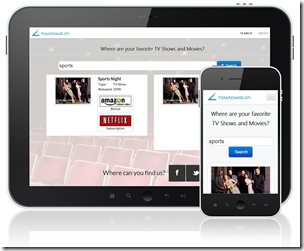
My PhoneGap series will continue soon. I promise. I’ve been busy working on a new business: How to Watch. This new business aims to help people find where a movie or TV show is available via online streaming (e.g.NETflix, Hulu, Amazon Instant or iTunes). I got sick of having to search on each of the platforms to find “my stories”. The result is this site and mobile apps (Android, Windows 8, Windows Phone and Kindle; iOS is coming soon if I can get Apple to certify the thing!).
One of the goals of the project was to build the core product (the search UI) once and reuse it using PhoneGap to build all the apps. With some tweaks here and there that is what I accomplished. I am using Adobe’s PhoneGap Build to build the iOS and Android/Kindle apps for me (check it out). And I am hand-building the Windows 8 and Windows Phone PhoneGap apps (because of special needs that PhoneGap doesn’t accommodate).
One way this works is that I am using a responsive design so that on the phone the app get a phone-centric look and feel; and on tablets and desktops you get a fuller, more horizontal look and feel. Much of the responsive design comes from my use of Twitter Bootstrap. As I finish up the PhoneGap series (and an upcoming Pluralsight course on it), you can learn the nitty gritty details of what I’ve learned.
All I ask is that you take a look and let me know if you find it useful:
